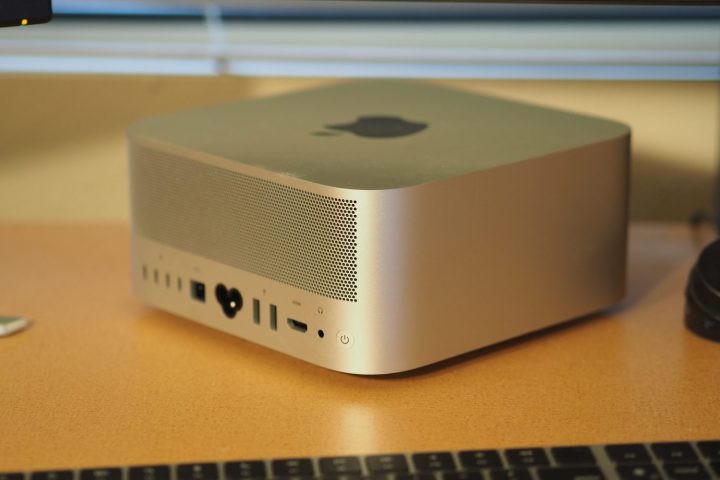
Apple’s Mac Studio is an elegantly designed desktop PC that fits into tight spaces. It’s also one of the quietest desktops you’ll find, making it an unobtrusive choice, while also providing surprisingly fast performance. But while the Mac Studio offers decent connectivity, it’s also a sealed enclosure with zero expandability. What you order is what you’ll have forever, so choosing carefully when configuring your Mac Studio is vital. This guide will help you make the right decisions.
Specs and configurations
Dimensions (HxWxD)
3.7 x 7.7 x 7.7 inches
CPU/GPU
M2 Max 12-core CPU/30-core GPU
M2 Max 12-core CPU/38-core GPU
M2 Ultra 24-core CPU/60-core GPU
M2 Ultra 24-core CPU/76-core GPU
Case
Apple CNC aluminum
Memory
32GB unified (M2 Max)
64GB unified
96GB unified (M2 Max 38-core GPU)
128GB unified (M2 Ultra)
192GB unified (M2 Ultra)
Storage
512GB SSD (M2 Max)
1TB SSD
2TB SSD
4TB SSD
8TB SSD
Power supply
Apple 370W
USB ports
4 x USB-C with Thunderbolt 4 on rear
2 x USB-C on front (M2 Max)
2 x USB-C with Thunderbolt 4 on front (M2 Ultra)
2 x USB-A on back
1 x HDMI
1 x 10GB Ethernet
3.5mm audio jack on back
SD card reader on front
Wireless
Wi-Fi 6E, Bluetooth 5.3
Price
$1,999-plus
The Mac Studio is available in two basic configurations, the M2 Max and M2 Ultra versions. I’ll get to performance below, but for now, let’s look at the pricing.
The M2 Max version starts at $1,999 with an M2 Max 12/30, 32GB of RAM, and a 512GB SSD. You can configure the M2 Max 12/38 version with up to 96GB of RAM and an 8TB SSD, for $5,399.
The M2 Ultra Mac Studio is more expensive, with a base price of $3,999 for an M2 Ultra 24/60, 64GB of RAM, and a 1TB SSD. The most powerful Mac Studio has an M2 Ultra 24/76, 192GB of RAM, and an 8TB SSD, costing a jaw-dropping $8,799.
Consider these prices as we discuss the differences between the various configurations.
M2 Max vs. M2 Ultra
 Mark Coppock / Digital Trends
We haven’t tested all configurations of the Mac Studio, so we can only approximate performance. But that’s enough to give you an idea of the relative speed differences between the M2 Max and M2 Ultra.
In the table below, I use the MacBook Pro 14 M2 Max as a proxy for the M2 Max Mac Studio. The desktop will likely be faster than the laptop, thanks to better thermal performance. I list the M2 Ultra with 60 GPU cores, so adjust accordingly when thinking about the version with 76 GPU cores.
As you can see, the two chipsets will perform similarly in single-core CPU tasks, while the M2 Ultra will dramatically improve on the M2 Max in multi-core applications.
